

Design System and Component Library for an eClosing Platform
Overview
ABC Closing is an eClosing solution designed specifically for the real estate closing process. The new 2.0 experience was created with a focus on improving the real estate closing process through one secure, collaborative platform that streamlines the entire closing process.
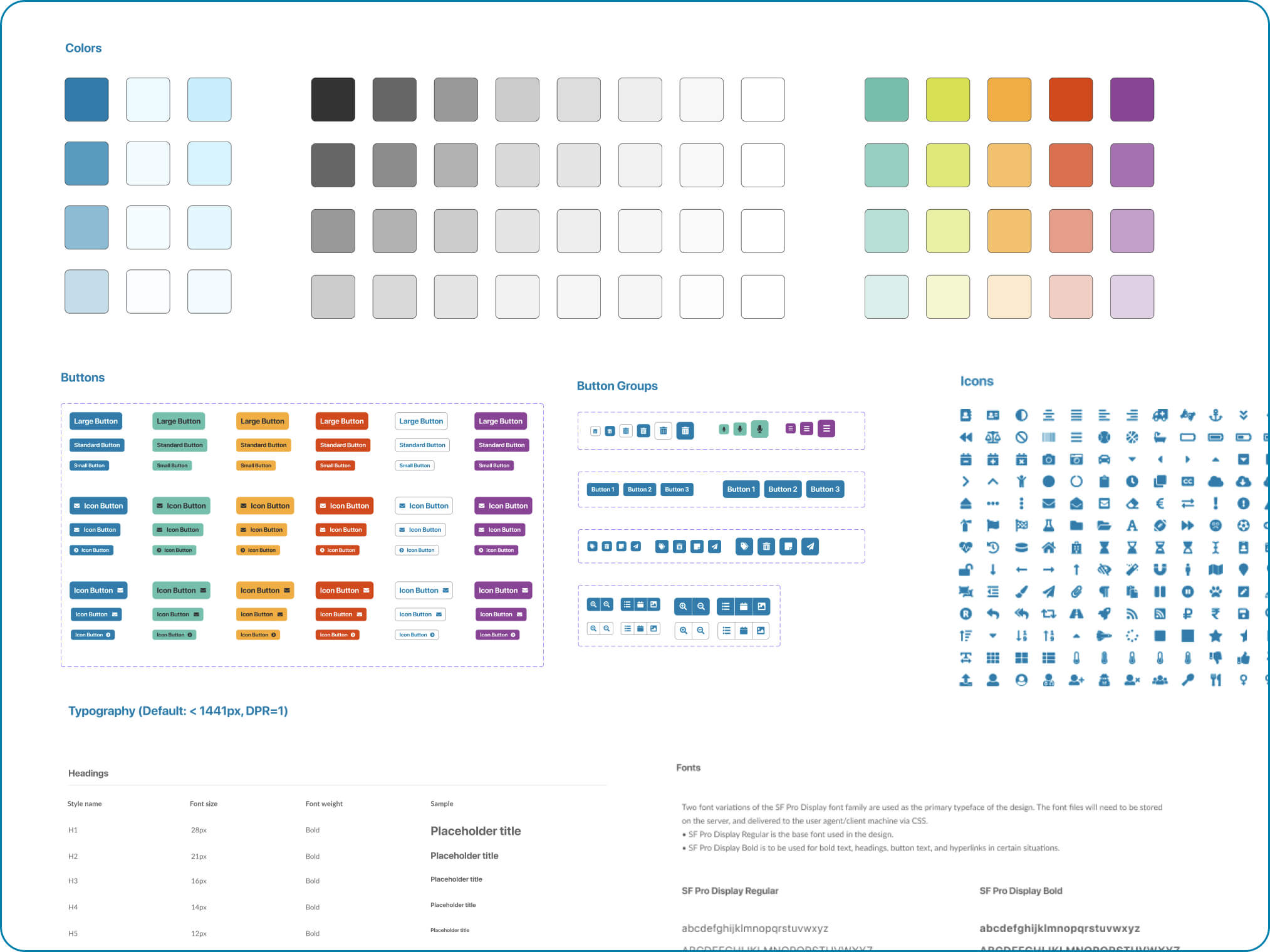
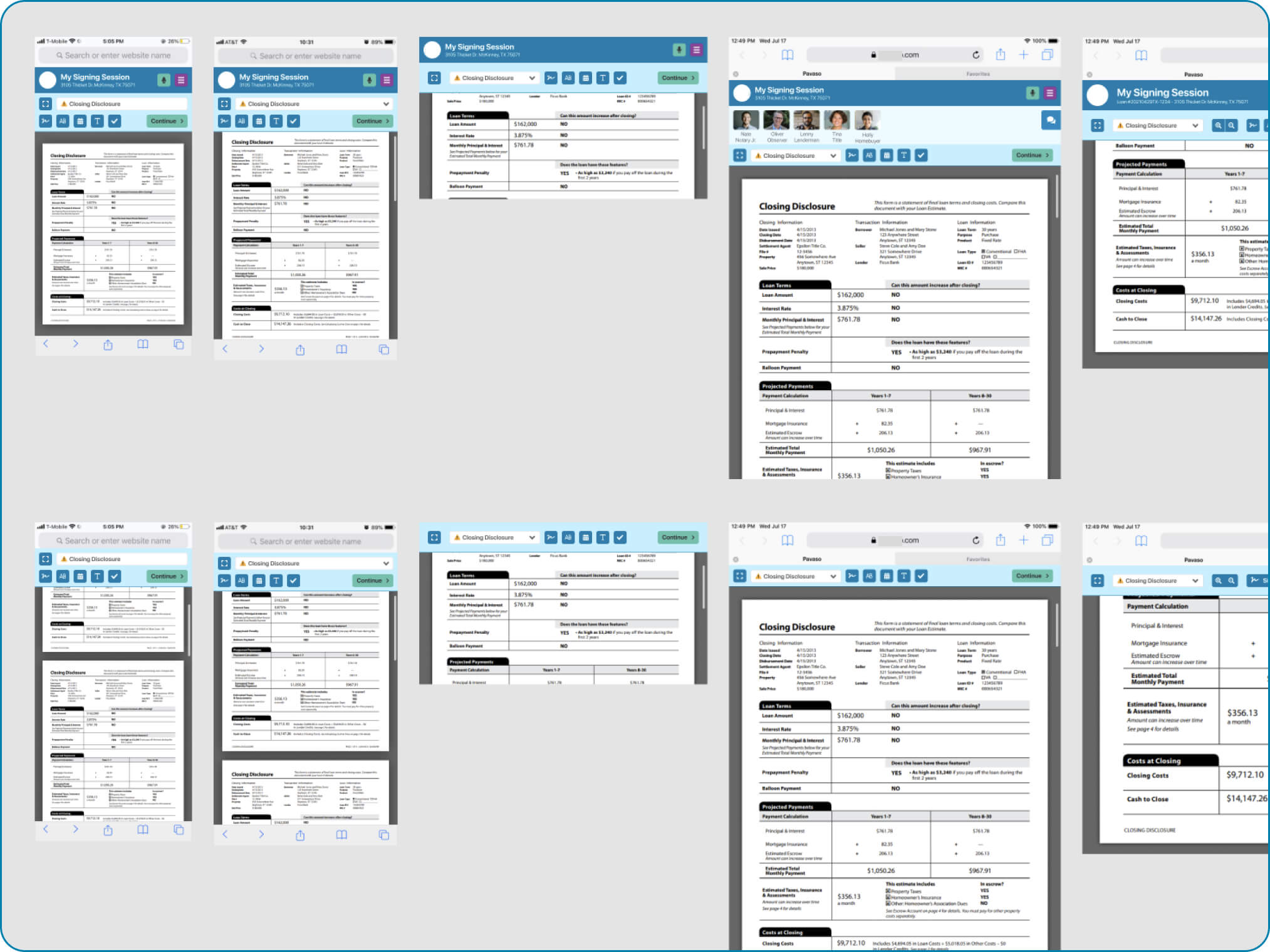
For this project, I created ADA Compliant Design System in Figma which showcased not only brand elements, such as colors, fonts, typography, iconography, but also a Component Library of complex visual elements, such as primary and secondary headers, chat variations, data lists, forms, complex disclosure views, etc.

Atomic Design Methodology
The whole Design System was built on Atomic Library concept. According to Atomic Design, all user interfaces are interconnected, hierarchical systems of components.
My design model was comprised of 5 discrete levels:
- atoms (brand elements, such as color palette and fonts)
- molecules (more complex elements that consist of brand elements, such as buttons, toasts, trackers, status types, progress meters, etc.)
- elements (forms, data lists, headers, etc.)
- components (toolbars, participant lists, alert methods, chat boxes, action lists, etc.)
- views (full screen variations made of multiple components)


ADA Compliance
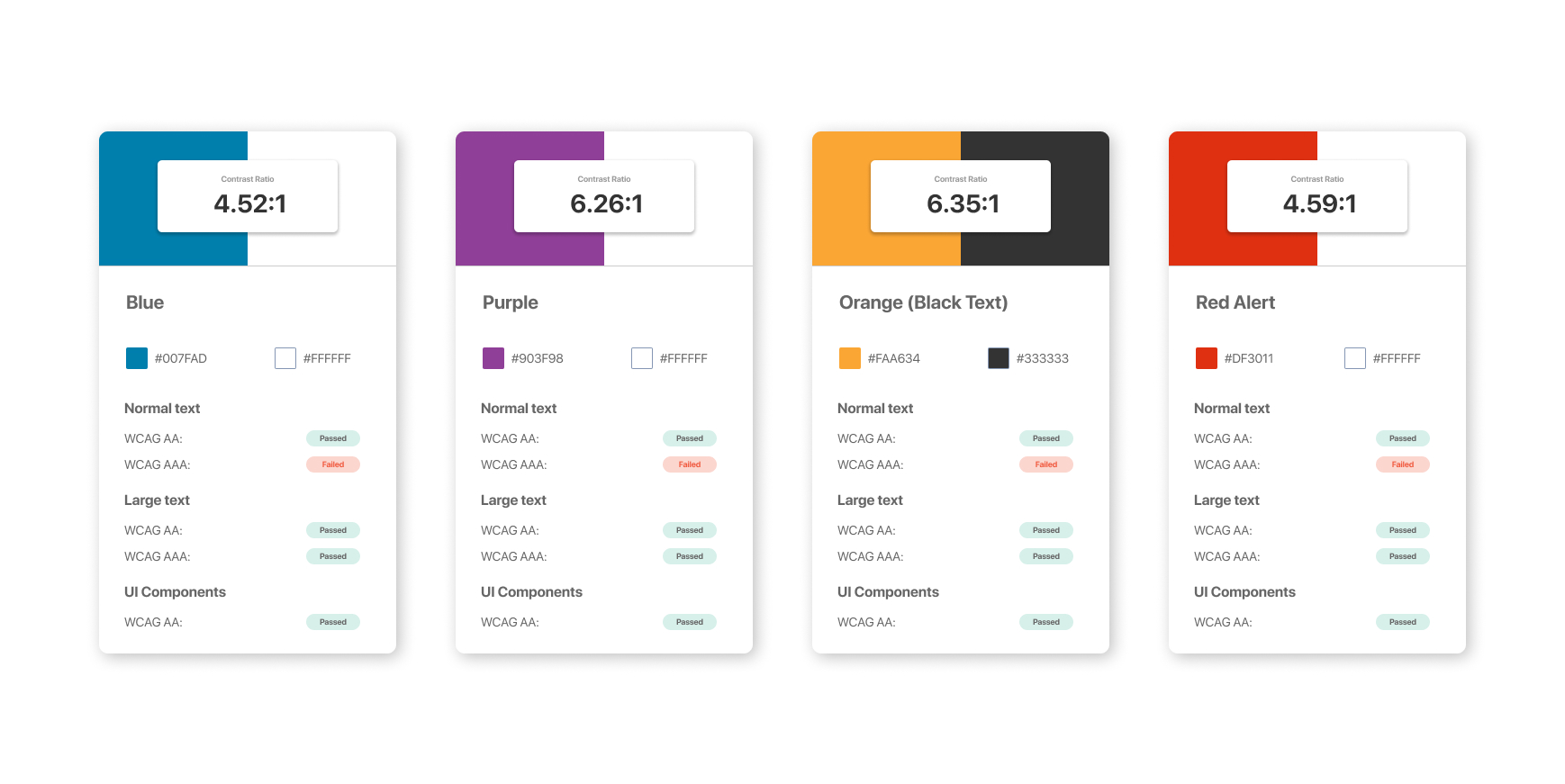
I wanted to make sure all elements comply with Accessibility standards. An accessible design system makes it easier for designers and developers to create products that don’t discriminate against users with disabilities. ADA compliance should not be overseen, especially in Title and Closing industries. From a business perspective, design system accessibility saves time while increasing consistency, thus creating positive experiences for all users.
While creating the Design System for ABC Closing, I used a checklist based on WCAG AA Section 508 standards. I treated Design System components as the baseline for accessibility. This baseline included colors, typography, spacing, sizing, header hierarchy, and other component-based factors. I used WebAim Contrast Checker, as well as other tools to make sure all standards have been met.

In conclusion
The whole Design System and Component Library was built using Atomic Design in Figma.
Why Figma? Figma is the perfect tool which is adapted to create lively and evolving systems.
Why Atomic Design? Everything is connected! All of our views are linked to components, components are linked to elements, elements are linked to molecules, and molecules are linked to atoms. The beauty of this approach is that as everything gets connected, we are going to be able to easily make modifications on a part of the system and verify the repercussion on the rest of the system.
Whether our team needs to design a new component or redesign an existing screen, working with this methodology in mind makes our product adaptable and easy to manage.
In the demo below, you can see how I build a new screen in just 2 minutes! This wouldn’t be possible if the carefully organized Design System and easy-to-use Component Library were not in place.